
The Event Producer’s Captioning Buyer’s Guide: How to Evaluate and Choose a Live Captioning Platform in 2026
If you are responsible for producing live events in 2026, you already know that captioning is no longer optional. Attendees expect it. Compliance frameworks require it. And multilingual audiences depend on it. But the market for live captioning tools has become crowded, fragmented, and difficult to navigate.
A thorough live captioning platform comparison is the most effective way to cut through vendor marketing and identify the solution that actually fits your production workflow, audience needs, and budget. The short answer to “how do I choose?” comes down to five evaluation pillars: transcription accuracy under real-world conditions, language coverage and translation quality, integration with your existing AV and streaming infrastructure, compliance with accessibility standards, and a pricing model that aligns with your event cadence.
This guide walks through each of those pillars in detail, giving your team a structured framework to evaluate vendors side by side rather than relying on demo-day impressions or feature lists alone.
Why the Live Captioning Market Is Harder to Navigate Than Ever
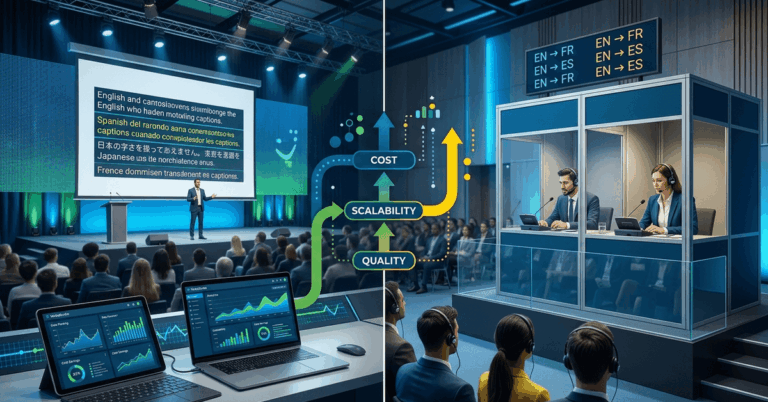
The captioning landscape has shifted dramatically in the last two years. Pure AI captioning tools have improved significantly. Human CART (Communication Access Realtime Translation) providers have added AI-assisted workflows. And a growing number of hybrid platforms blend both approaches with varying degrees of transparency about when the AI ends and the human begins.
For professional event teams, the challenge is not a lack of options. It is a lack of clarity. Many platforms market themselves as “real-time” without specifying latency. Others claim “99% accuracy” based on controlled studio tests that bear no resemblance to a live keynote in a ballroom with ambient noise and a speaker who code-switches between English and Spanish.
The stakes are real. A captioning failure during a live event is visible, disruptive, and difficult to recover from. Your evaluation process needs to account for that.
The Three Platform Categories
Before diving into criteria, it helps to understand the three broad categories you will encounter:
- AI-Only Platforms: Fully automated speech-to-text with no human in the loop. Lowest cost, fastest to deploy, most variable in accuracy.
- Human CART Services: A trained stenographer or respeaker provides captions in real time. Highest accuracy for single-language events, but limited scalability for multilingual needs and significantly higher cost.
- Hybrid and AI-Enhanced Platforms: Use AI as the primary engine with human oversight, custom vocabulary support, or post-processing layers. These platforms often offer multilingual output and professional AV integrations.
Each category has legitimate use cases. Your job is to match the category and the specific vendor to your event profile.
Accuracy: How to Benchmark Beyond the Marketing Claims
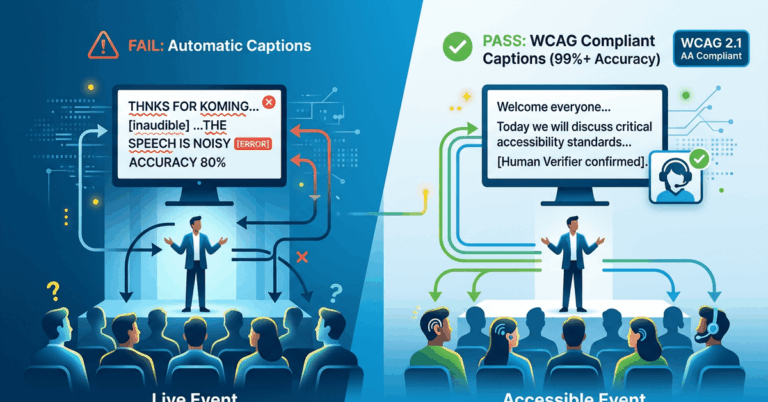
Accuracy is the single most important criterion in any live captioning platform comparison, and it is also the most misrepresented. A vendor quoting “95% or higher accuracy” may be referencing ideal conditions: a single speaker, standard accent, no background noise, pre-loaded vocabulary.
What to Ask During Evaluation
Request accuracy data from live event environments, not studio recordings. Ask vendors to specify their measurement methodology. Word Error Rate (WER) is the industry standard, but how it is calculated matters. Some vendors exclude filler words, partial phrases, or proper nouns from their WER calculations, which inflates the reported number.
Here are the conditions that should be part of any realistic accuracy benchmark:
- Multiple speakers with varied accents
- Live audience noise or room ambiance
- Technical vocabulary or industry jargon
- Speaker transitions without explicit cues
- Audio delivered via standard AV signal paths, not a pristine direct feed
Custom Vocabulary and Domain Adaptation
For professional events, the ability to pre-load custom terminology is essential. Conference keynotes, medical symposia, corporate earnings calls, and worship services all use domain-specific language that generic models handle poorly. Evaluate whether a platform supports custom glossaries, speaker name recognition, and contextual adaptation for your event type.
Language Coverage and Real-Time Translation Quality
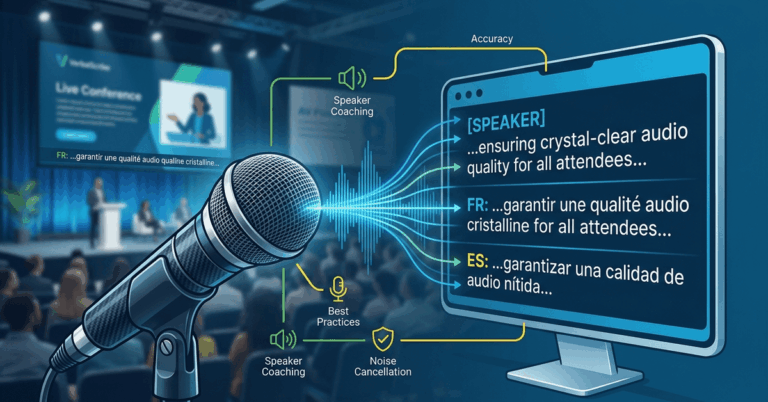
If your events serve multilingual audiences, language support moves from a nice-to-have to a core requirement. But not all multilingual features are created equal.
Key Questions for Multilingual Evaluation
- How many languages can be output simultaneously during a single session?
- Is translation performed in real time, or is there a secondary delay beyond the base captioning latency?
- Does the platform support less common language pairs, or only high-resource languages like English, Spanish, French, and Mandarin?
- Can attendees self-select their preferred language without operator intervention?
Translation Accuracy vs. Transcription Accuracy
A platform may transcribe English well but produce awkward or inaccurate translations into Portuguese or Korean. Ask for translation quality samples in your target languages. If possible, have a native speaker review output from a live demo rather than relying on pre-recorded examples the vendor has had time to optimize.
The following table provides a general framework for comparing language capabilities across vendors:
Evaluation Criterion | What to Look For | Red Flag |
|---|---|---|
Number of supported languages | 20+ for broad coverage | Fewer than 10 with no roadmap |
Simultaneous output | Multiple languages at once | Sequential or one-at-a-time only |
Translation latency | Under 3 seconds additional delay | Vague or unspecified latency |
Language pair quality | Verified by native speakers | Only English-to-X tested |
Attendee language selection | Self-service via device | Requires operator to switch |
Integration with Streaming and AV Production Workflows
A captioning platform that works flawlessly in isolation but cannot integrate with your production stack is not a viable option. Professional event teams need to evaluate compatibility with their specific audio, video, and display infrastructure.
Audio Input Compatibility
Determine how the platform ingests audio. Common methods include:
- Direct browser-based audio capture
- NDI or SRT stream ingest
- Dante audio network integration
- RTMP or HLS stream embedding
- Analog or USB audio interface input
If your venue runs a Dante network for audio distribution, confirm that the platform can receive a Dante audio feed without requiring a separate computer running a web browser as a bridge. Clean audio input is the foundation of accurate transcription.
Display and Output Options
How captions reach your audience matters as much as how they are generated. Evaluate whether the platform supports:
- Overlay on live stream output via API or embed
- Direct integration with presentation software such as ProPresenter
- Dedicated audience-facing URL or QR code for mobile viewing
- SDI or NDI output for in-venue display on screens or monitors
- Custom styling, font sizing, and branding of caption display
Network Requirements
Live captioning platforms are cloud-dependent, which means your venue network is a critical variable. Ask each vendor for specific network requirements, including minimum bandwidth per language stream, port and firewall requirements, and behavior during intermittent connectivity. A platform that degrades gracefully during a brief network interruption is preferable to one that fails silently.
Compliance Certifications and Accessibility Standards
Regulatory and institutional compliance is a growing factor in vendor selection, particularly for government events, higher education, and publicly funded conferences.
Standards to Reference
- ADA (Americans with Disabilities Act): Requires effective communication for individuals who are deaf or hard of hearing in many event contexts.
- Section 508: Applies to federally funded events and digital content in the United States.
- WCAG 2.1 / 2.2: Web Content Accessibility Guidelines apply to live stream and virtual event interfaces.
- EN 301 549: European accessibility standard for ICT products and services.
- AODA: Accessibility for Ontarians with Disabilities Act, relevant for events in Ontario, Canada.
What to Verify
Ask vendors whether their platform has been independently audited against any of these standards. Confirm whether the caption output meets WCAG requirements for contrast, readability, and user control. For higher education buyers, ask whether the platform supports integration with institutional LMS or accessibility office workflows.
Compliance is not just about checking a box. It protects your organization from legal risk and demonstrates a genuine commitment to inclusion.
Pricing Models: Matching Cost Structure to Your Event Cadence
Pricing in the live captioning market varies widely, and the cheapest option per minute is rarely the best value for professional events. Understanding the pricing model is essential to making an informed live captioning platform comparison.
Common Pricing Structures
Pricing Model | Best For | Watch Out For |
|---|---|---|
Per-minute usage | Occasional events, variable durations | Costs escalate quickly for long or frequent events |
Monthly subscription | Organizations with regular event schedules | Unused capacity if event frequency drops |
Per-event flat rate | Conferences, one-time galas | May not include multilingual add-ons |
Annual enterprise license | Large organizations with high volume | Requires upfront commitment |
Hybrid (base + usage) | Mid-frequency event teams | Complexity in forecasting total cost |
Hidden Cost Factors
Beyond the headline price, evaluate these often-overlooked cost components:
- Additional fees per language for multilingual output
- Charges for custom vocabulary or glossary setup
- Overage pricing if an event runs longer than estimated
- Costs for technical support during live events
- Onboarding, training, or integration assistance fees
Request a total cost projection based on your actual event calendar for the next 12 months, not just a per-unit rate. A vendor with a higher per-minute price but inclusive multilingual support and live event assistance may deliver better overall value than a low-cost provider that charges for every add-on.
Building Your Vendor Scorecard
With the five evaluation pillars defined, your team needs a consistent method for scoring and comparing vendors. A structured scorecard eliminates subjective bias and ensures every stakeholder evaluates platforms against the same criteria.
Recommended Scorecard Categories
- Transcription accuracy under live conditions (weighted highest)
- Language count and translation quality
- AV and streaming integration compatibility
- Compliance and accessibility standards met
- Pricing alignment with event cadence
- Vendor support responsiveness and live-event coverage
- Onboarding complexity and time to first event
- Platform reliability track record and uptime guarantees
Score each category on a 1-to-5 scale, weight the categories according to your organization’s priorities, and calculate a total. Run at least two vendors through a live pilot event before making a final commitment. Demo environments are useful for interface evaluation, but only a live event reveals how a platform performs under real conditions.
Choosing the right live captioning platform is a decision that affects every attendee at every event your organization produces. The criteria outlined here — accuracy, language coverage, AV integration, compliance, and pricing — give your team a repeatable evaluation framework rather than a gut-feeling selection process.
If your events demand multilingual output, production-grade reliability, and clean integration with professional AV workflows, VerbalScribe is built for exactly that use case. We welcome structured evaluations and are happy to participate in live pilot events so your team can assess performance under real conditions. Reach out to request a technical walkthrough or to schedule a pilot for an upcoming event.
Frequently Asked Questions
What is the most important factor in a live captioning platform comparison?
Transcription accuracy under real-world live event conditions is the most important factor. Marketing-quoted accuracy rates often reflect controlled environments. Request Word Error Rate data from actual live events with multiple speakers, ambient noise, and domain-specific vocabulary to get a realistic picture of performance.
How many languages should a live captioning platform support simultaneously?
For most professional multilingual events, the platform should support at least 5 to 10 simultaneous language outputs. Large international conferences may require 20 or more. Confirm that the platform can deliver multiple languages at the same time without requiring separate sessions or operator switching.
Do I need human CART captioning or is AI captioning sufficient for live events?
It depends on your accuracy requirements and event type. AI-only platforms have improved significantly and offer better scalability and multilingual support. Human CART provides the highest single-language accuracy but does not scale well for multilingual needs. Hybrid platforms that combine AI with custom vocabulary and domain adaptation often provide the best balance for professional events.
What AV integrations should I look for in a live captioning platform?
At minimum, look for compatibility with your audio signal path, whether that is Dante, NDI, SRT, USB, or browser-based capture. For display, evaluate whether the platform supports ProPresenter integration, live stream overlay, mobile-accessible caption URLs, and SDI or NDI video output for in-venue screens.
How can I verify a vendor’s accuracy claims before committing?
Request a live pilot during an actual event rather than relying on a controlled demo. Provide the vendor with a realistic audio source — multiple speakers, technical vocabulary, standard venue audio quality — and measure the output against a manual transcript. Compare Word Error Rates across vendors using the same source material for a fair evaluation.
What compliance standards apply to live event captioning?
The most relevant standards include the ADA for effective communication requirements, Section 508 for federally funded events, WCAG 2.1 and 2.2 for digital and live stream interfaces, and EN 301 549 for European contexts. Higher education institutions and government agencies often have additional institutional policies that require specific captioning quality thresholds.